hi, i’m kevin! i like building things, especially assistive technology that helps people do more of what they already love.
i’m interested in the space where software, hardware, and people all come together, and i spend a lot of my time experimenting with ideas, talking to people, and turning weird concepts into real projects.
outside of that, i’m usually playing volleyball, hanging out with friends, or getting way too interested in some random topic. i’m still figuring out exactly what i want to build long-term, but i know i want it to be useful, human, and hopefully make someone’s life a little better.
A wearable that helps blind users navigate with a little more confidence.
When
Summer 2025
Where
UMD CPSE summer camp
Who
Team lead · 4 people
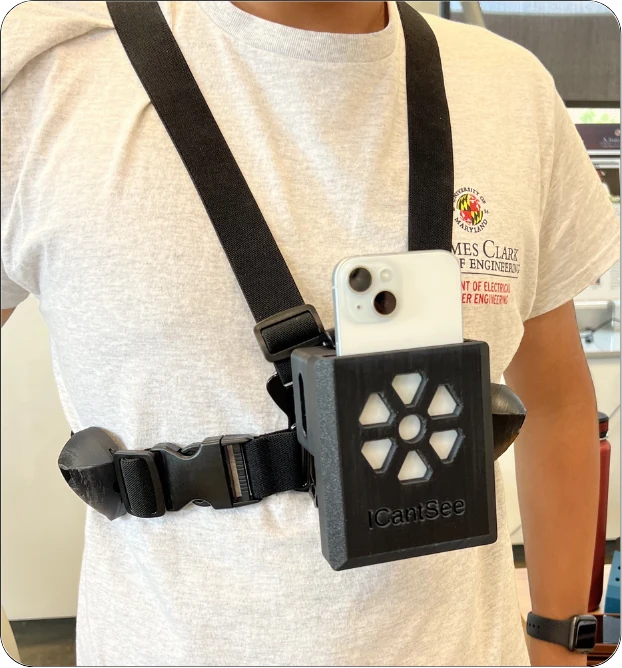
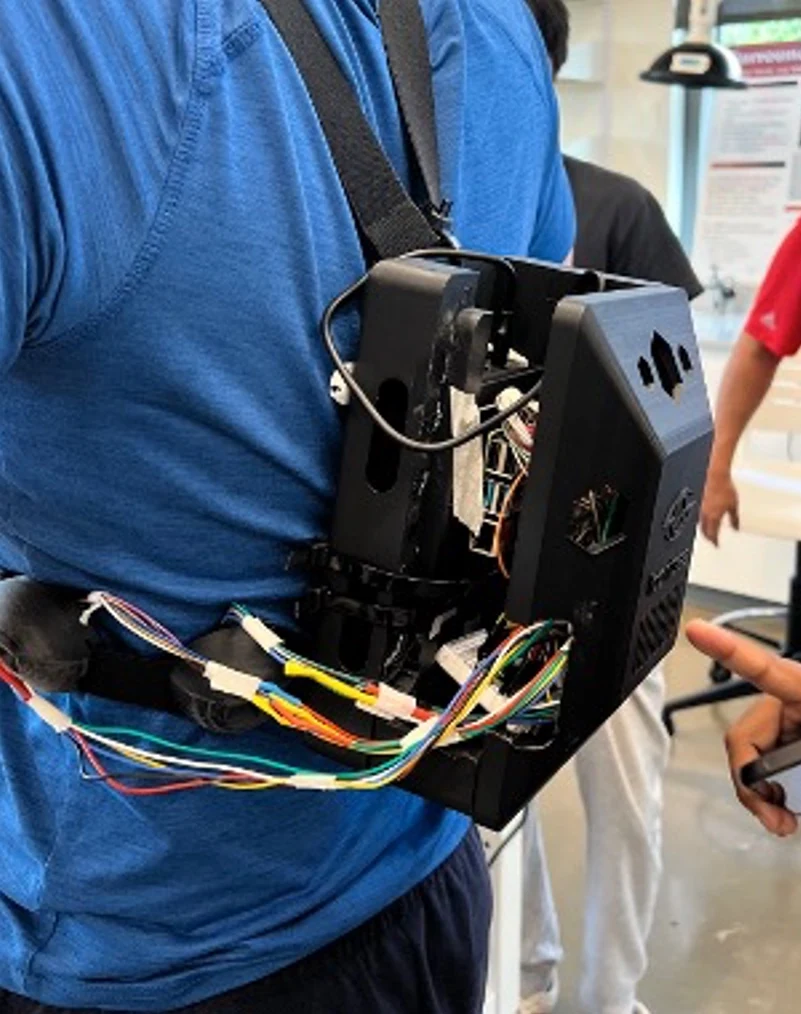
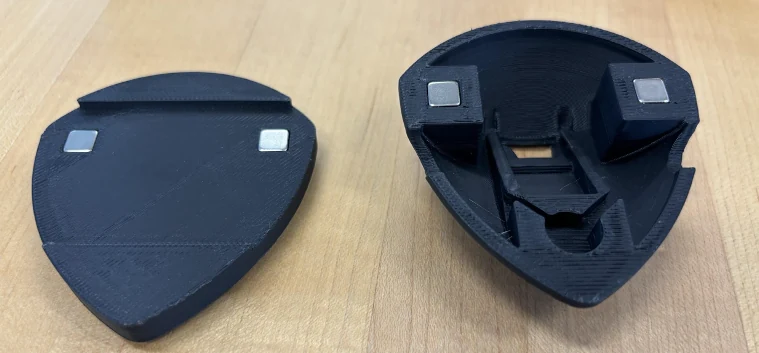
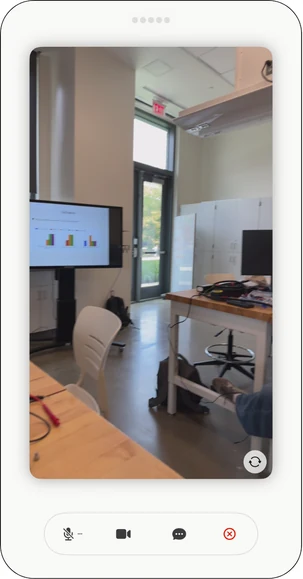
The wearable prototype
Summary
Affordable, practical navigation tools often leave blind and visually impaired users without real-time awareness of obstacles and their surroundings. Our team built an AI-powered wearable combining computer vision, navigation, voice interaction, sensors, spatial audio, and haptic feedback, and demonstrated a working prototype that could guide users around obstacles.
Role
I led a team of four people during the five-week UMD CPSE summer camp.
Process
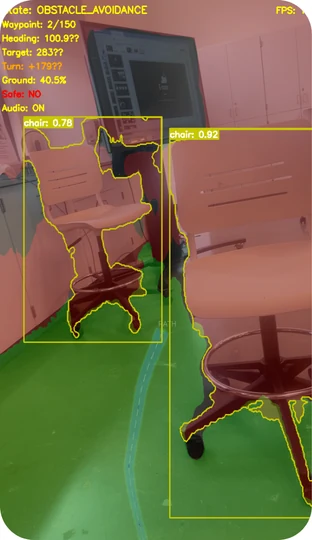
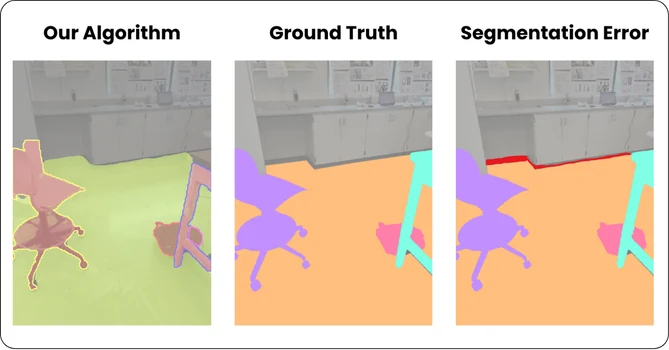
We wanted to build a wearable that could offer blind users more all-around safety than a phone alone. We combined a chest strap with time-of-flight sensors and haptic feedback, plus a phone app that used computer vision to identify safe ground and GPS for navigation.
Our hardware arrived late, so most of the build happened in the last couple of weeks. We also fried the NVIDIA Jetson we had planned to use for onboard AI. We switched to a Raspberry Pi, offloaded some of the compute to a separate computer, and worked through a few more hardware setbacks to get the prototype ready.
Solution
An AI-powered wearable system that helps blind and visually impaired people navigate and understand their surroundings. The chest-mounted sensors and haptic feedback work alongside the phone app’s vision and navigation software to communicate nearby obstacles.
Impact
We finished a functional prototype that could clearly guide blind users around obstacles and presented it at demo day. Getting the hardware and software working together within five weeks was our main milestone.
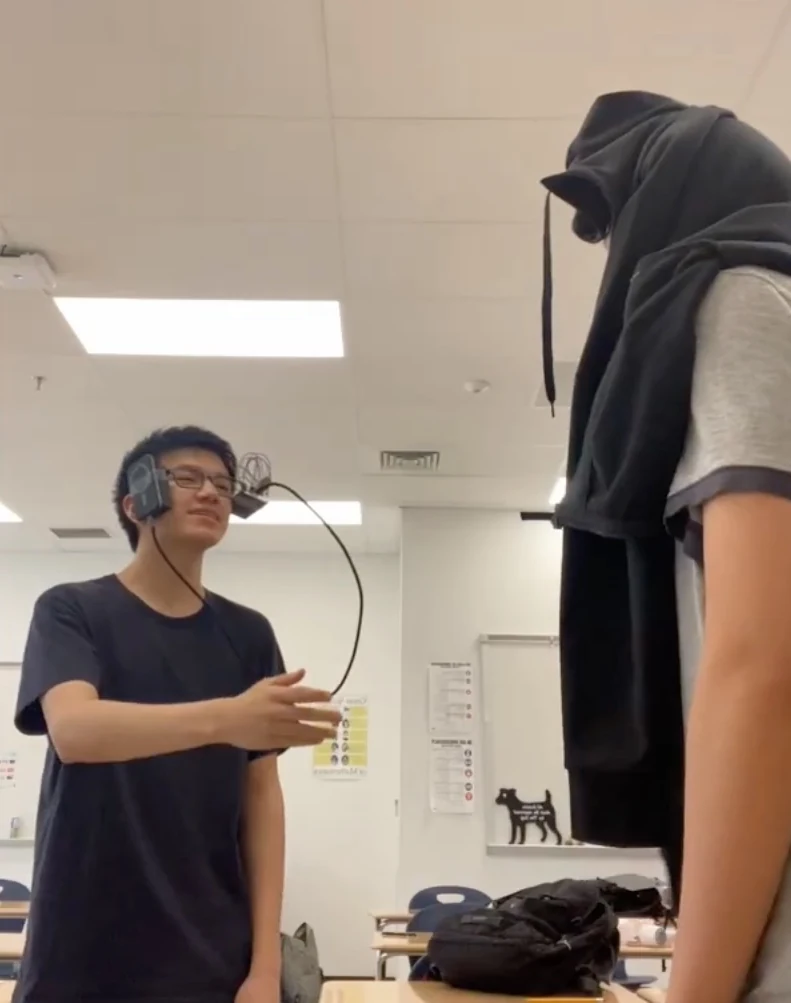
For our final multivariable calculus project, my friend Aiden and I built AI-powered “cheating glasses” that could photograph a math problem, send it to a cloud vision-language model, and read the answer through a speaker. It started as a funny idea, but we got the full system working well enough to solve problems during our live class demo.
Role
Aiden and I built the whole system together, splitting the hardware, software, and CAD work between us.
Process
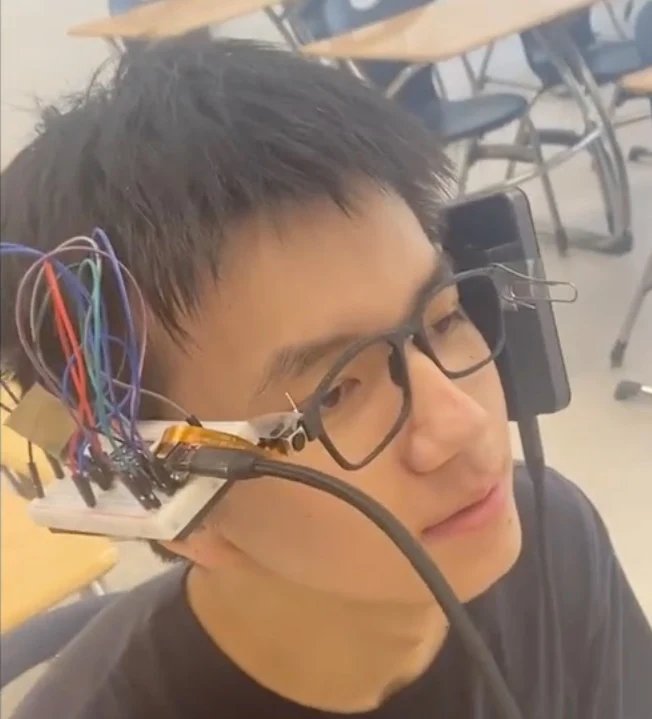
We wanted the glasses to be as small and usable as possible, so we used an ESP32-S3 camera, a button, a small speaker, a power bank, and a custom 3D-printed mount.
The original camera was low quality and laggy. We switched to a better camera and changed the software to capture an image only when the button was pressed, instead of constantly streaming. We also iterated on the CAD to position the camera correctly while fitting the electronics onto the glasses.
The glasses prototypeThe classroom demo
Solution
Pressing a button captures an image of a problem and sends it to a cloud-based vision-language model. The model solves the problem, and a small speaker attached to the glasses reads the response back to the user.
Impact
Our working prototype successfully solved problems during the live demo for our multivariable calculus class. Our teacher thought it was hilarious, and we showed that the full pipeline—from image capture to an AI-generated spoken answer—actually worked.
Cue is an open-source iOS accessibility app I built during my summer research at the Smith-Kettlewell Eye Research Institute, connecting Ray-Ban Meta glasses with an iPhone to give blind users discreet, everyday visual assistance. It combines text reading, open-vocabulary object finding, and a Watch Mode for specific visual conditions in a functional app that I presented at the institute and released for free.
Role
I developed Cue as a solo project under the supervision of a postdoc at Smith-Kettlewell. I handled the full software pipeline: the iOS app, model integration, optimization, accessibility features, and the computer-vision and AI systems behind each feature.
Process
I wanted to give blind users useful visual information without a bulky or very noticeable wearable. Much of the work was figuring out how to run advanced AI models on an iPhone without making the app too slow or overheating the phone.
One major problem was porting YOLO-World to iOS. Exporting the model froze its text embeddings, removing its open-vocabulary capability. I built a custom export pipeline and used CLIP embeddings generated from the user’s query so the model could still search for arbitrary objects.
I also worked on latency and heat: skipping frames, downscaling images, preloading models, adjusting processing to the device’s temperature, and choosing smaller models when possible.
Solution
Text reading
OCR reads text from the user’s surroundings.
Object finding
A custom YOLO-World V2 + CLIP pipeline lets the user search for arbitrary objects.
Watch Mode
The user can give a condition such as “tell me when someone is holding a cardboard box.” A lightweight model first checks for prerequisite objects, like a person, before a slower vision-language model verifies the full condition. This avoids running the expensive model on every frame and makes continuous on-device monitoring more practical.
Impact
By the end of the summer, I had a functional app that I presented at Smith-Kettlewell and released for free as open-source software.
I did not run a formal benchmark study. The project demonstrated that complex multimodal accessibility features could work through a consumer iPhone and a relatively normal-looking pair of smart glasses, without a specialized wearable.